
Hi
SAYLI Prashant MULE
UI/UX
designer
I like figuring out
why things aren't working.
A little about me
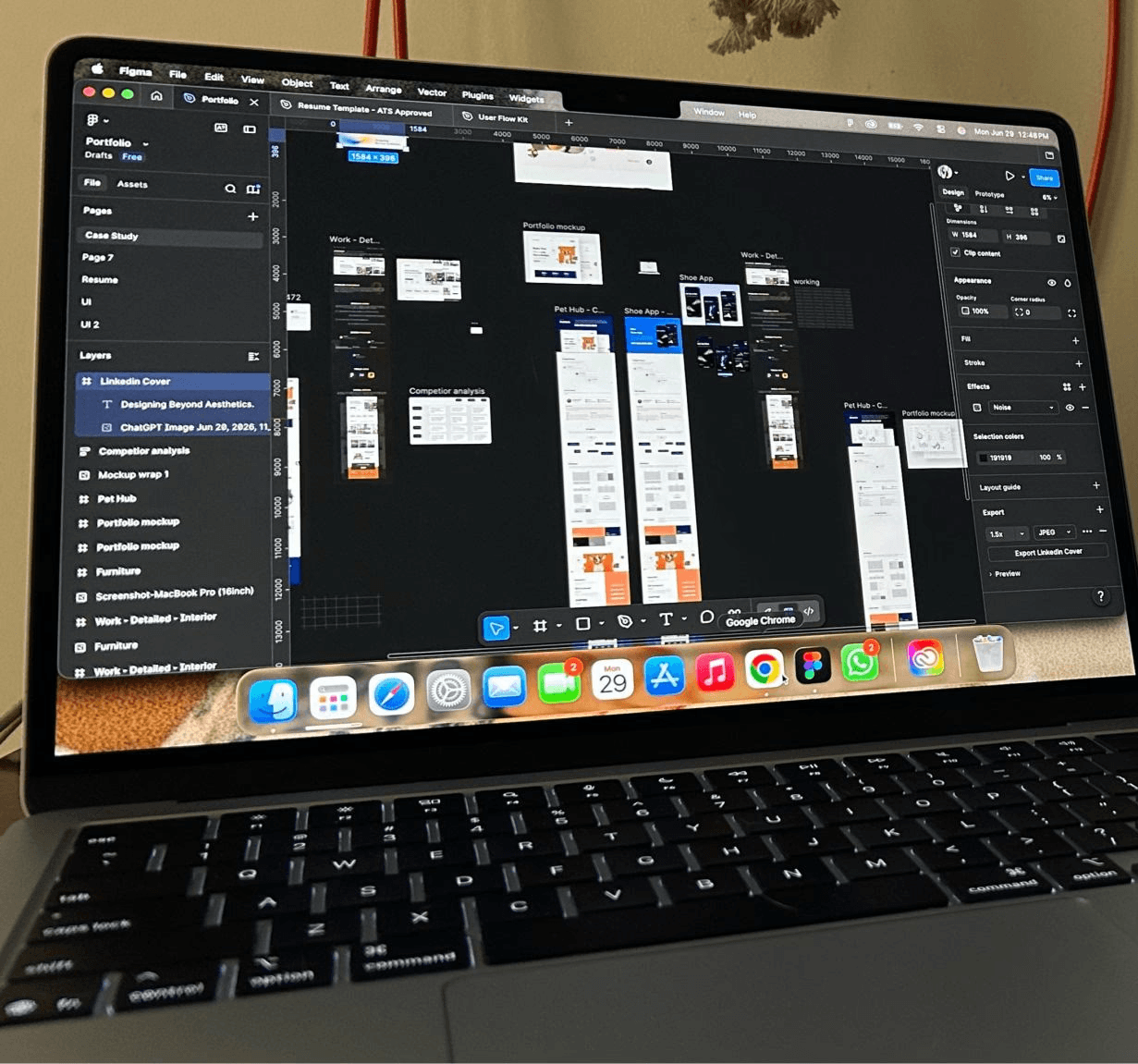
I’m a UI/UX designer with 4+ years of experience designing SaaS products, enterprise platforms, mobile apps, and websites.
I work across the product design process, from understanding problems and mapping user flows to wireframing, UI design, prototyping, design systems, and usability testing.
I enjoy working on complex products where there’s a lot to simplify, structure, and make easier to use.
Mobile No :
Email :
My Design Journey
4+ years designing digital products across SaaS, enterprise, mobile, and web.
UI/UX Designer
E2M Solutions
Jun’25 - Mar’26
Design Consultant
Freelance
Nov’24 - Jun’25
UI/UX Design Lead
VIDAI Solutions
Dec’23 - Nov’24
Jr. UI/UX Designer
Code Theorem
Nov’21 - Nov’23
Projects
These selected projects reflect my passion for blending strategy with creativity, solving real problems through thoughtful design and impactful storytelling.



My Tech Stack
My everyday toolkit for solving product problems, exploring ideas, designing scalable interfaces, and bringing digital experiences from concept to reality.
Design & Prototyping

Figma

Framer

Creative Suite
Research
Fig jam

Miro
Miro
AI

Figma make

Chatgpt

Claude
SIDE QUESTS
No brief. No client. No deadline. Just ideas that I couldn’t leave alone.
This is where I test new tools, play with product ideas, turn observations into designs, and occasionally build something just because I want to see if I can.

UX Case Study · Product Thinking · AI-Assisted UX
One phone. Four flatmates. Zero patience.
Zepto Group Cart 🛒
This started with a very familiar problem: ordering groceries in a shared flat with one person controlling the cart.
I spoke to 3–4 people I actually order groceries with to see if it was just my problem. It wasn't.
That led to Group Cart, where everyone can add their own items while one person controls the final order.
I also explored AI-assisted duplicate handling as a nudge rather than blocking the user.

Blog · AI · Story
It Started With One Question… and POOF!
AI BECAME PART OF MY DESIGN PROCESS.
How ChatGPT slowly became part of my design process and then taught me when to stop using it.
It started with a tagline.
I was working on an insurance project I'd been working on for almost a year. I knew the product pretty well by then: the screens, the flows, the problems. But I was stuck on one thing: the copy.
Figma Make · AI · Prototyping
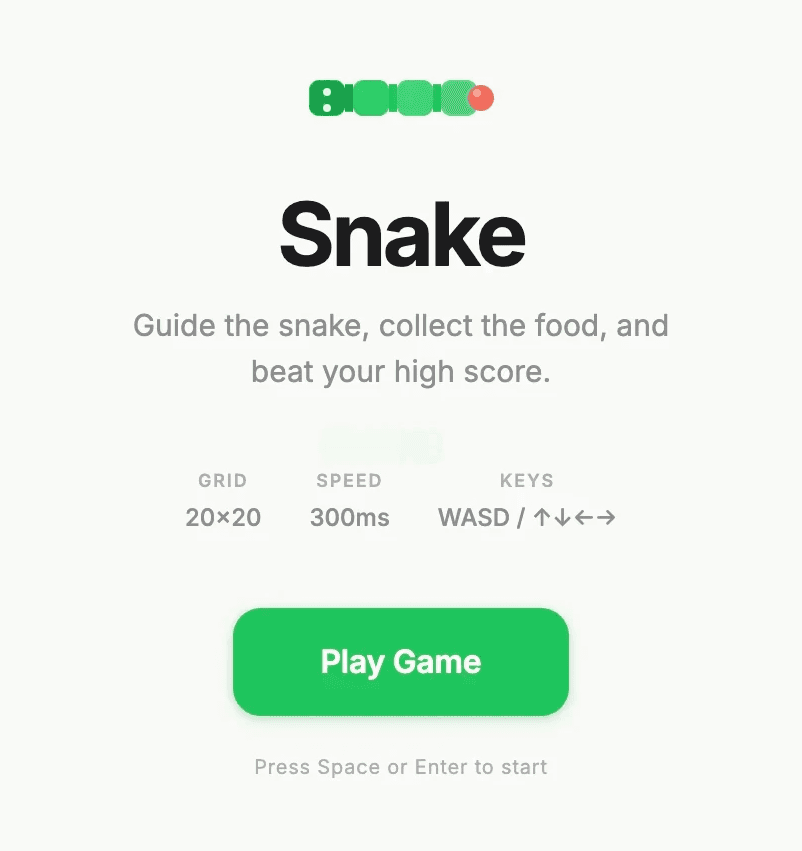
What if Figma could build a game ?
Snake Game 🐍
I wanted to see how far I could push Figma Make beyond traditional UI design.
So I used a prompt to generate a playable Snake game and iterated on the result.
It became a quick experiment in AI-assisted creation, interaction, and rapid prototyping.
Sometimes the best way to learn a tool is to give it a slightly ridiculous challenge.
HOW I THINK, DESIGN & SHIP
I don’t follow the same process for every project. I start with the problem, understand what matters, and shape the process around the users, product, and business goals.
01.
UNDERSTAND THE PROBLEM
I start by understanding the users, business goals, requirements, and constraints. I look at what already exists, research the space, and identify where the real problem is.

02.
DEFINE & EXPLORE
I turn the problem into clear user flows, structure, and possible solutions. I explore different directions and use AI when it helps me think faster or see the problem differently.

03.
DESIGN THE EXPERIENCE
Collaboration is key. I review the design with you, gather feedback, and refine the work to align with your expectations and goals. This ensures the design reflects your vision.
04.
TEST & REFINE
I review the experience, test key flows, and gather feedback from users, stakeholders, and developers. I use what I learn to simplify, improve, and refine the design.
05.
Launch & Delivery
I prepare prototypes, components, states, and specifications for development. I stay involved during implementation to answer questions, solve gaps, and make sure the final product matches the intended experience.

Hi
SAYLI Prashant MULE
UI/UX
designer
I like figuring out
why things aren't working.
A little about me
I’m a UI/UX designer with 4+ years of experience designing SaaS products, enterprise platforms, mobile apps, and websites.
I work across the product design process, from understanding problems and mapping user flows to wireframing, UI design, prototyping, design systems, and usability testing.
I enjoy working on complex products where there’s a lot to simplify, structure, and make easier to use.
Mobile No :
Email :
My Design Journey
4+ years designing digital products across SaaS, enterprise, mobile, and web.
UI/UX Designer
E2M Solutions
Jun’25 - Mar’26
Design Consultant
Freelance
Nov’24 - Jun’25
UI/UX Design Lead
VIDAI Solutions
Dec’23 - Nov’24
Jr. UI/UX Designer
Code Theorem
Nov’21 - Nov’23
Projects
These selected projects reflect my passion for blending strategy with creativity, solving real problems through thoughtful design and impactful storytelling.
My Tech Stack
My everyday toolkit for solving product problems, exploring ideas, designing scalable interfaces, and bringing digital experiences from concept to reality.
Design & Prototyping
Figma
Framer
Creative Suite
Research
Fig jam
Miro
Miro
AI
Figma make
Chatgpt
Claude
SIDE QUESTS
No brief. No client. No deadline. Just ideas that I couldn’t leave alone.
This is where I test new tools, play with product ideas, turn observations into designs, and occasionally build something just because I want to see if I can.
UX Case Study · Product Thinking · AI-Assisted UX
One phone. Four flatmates. Zero patience.
Zepto Group Cart 🛒
This started with a very familiar problem: ordering groceries in a shared flat with one person controlling the cart.
I spoke to 3–4 people I actually order groceries with to see if it was just my problem. It wasn't.
That led to Group Cart, where everyone can add their own items while one person controls the final order.
I also explored AI-assisted duplicate handling as a nudge rather than blocking the user.
Blog · AI · Story
It Started With One Question… and POOF!
AI BECAME PART OF MY DESIGN PROCESS.
How ChatGPT slowly became part of my design process and then taught me when to stop using it.
It started with a tagline.
I was working on an insurance project I'd been working on for almost a year. I knew the product pretty well by then: the screens, the flows, the problems. But I was stuck on one thing: the copy.
Figma Make · AI · Prototyping
What if Figma could build a game ?
Snake Game 🐍
I wanted to see how far I could push Figma Make beyond traditional UI design.
So I used a prompt to generate a playable Snake game and iterated on the result.
It became a quick experiment in AI-assisted creation, interaction, and rapid prototyping.
Sometimes the best way to learn a tool is to give it a slightly ridiculous challenge.
HOW I THINK, DESIGN & SHIP
I don’t follow the same process for every project. I start with the problem, understand what matters, and shape the process around the users, product, and business goals.
01.
UNDERSTAND THE PROBLEM
I start by understanding the users, business goals, requirements, and constraints. I look at what already exists, research the space, and identify where the real problem is.
02.
DEFINE & EXPLORE
I turn the problem into clear user flows, structure, and possible solutions. I explore different directions and use AI when it helps me think faster or see the problem differently.
03.
DESIGN THE EXPERIENCE
Collaboration is key. I review the design with you, gather feedback, and refine the work to align with your expectations and goals. This ensures the design reflects your vision.
04.
TEST & REFINE
I review the experience, test key flows, and gather feedback from users, stakeholders, and developers. I use what I learn to simplify, improve, and refine the design.
05.
Launch & Delivery
I prepare prototypes, components, states, and specifications for development. I stay involved during implementation to answer questions, solve gaps, and make sure the final product matches the intended experience.